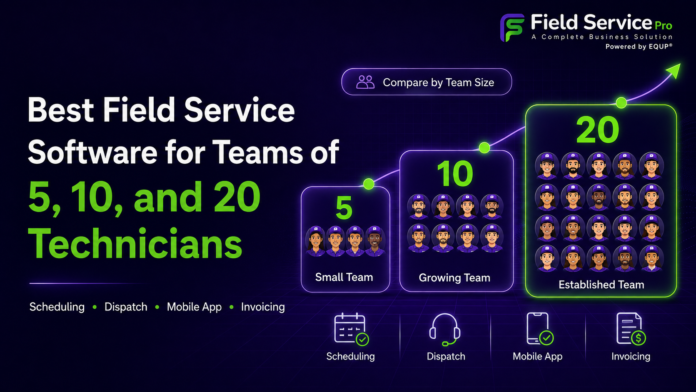


Something most software reviews get wrong is that they treat “small business” as one thing. It isn’t. A 5-technician cleaning company and a twenty-technician plumbing operation share almost nothing in common operationally. They have different bottlenecks, different failure points, and they need different things from their software.
The mistake that costs growing businesses the most isn’t picking a “bad” tool. It’s picking the right tool for the wrong stage. The platform that runs a five-person crew beautifully can quietly strangle you at fifteen, and the enterprise system built for twenty technicians will bury a team of five in complexity they’ll never use.
So instead of another ranked list, this guide is organized the way your business actually grows: what breaks at 5, what breaks at 10, what breaks at 20, and what your field service software needs to do at each of those thresholds. If you know where you are, you’ll know what to buy.
The Core Job Never Changes, Only the Scale
No matter your size, field service software for small business exists to move a job cleanly from the moment a customer reaches out to the moment you get paid, without work falling through the cracks in between.
These are the non-negotiables at every headcount:
- Scheduling and dispatch so nobody gets double-booked
- Customer records that hold job history in one place
- Quotes and estimates you can send fast
- Invoicing and payments that don’t sit for days
- A mobile app your crew actually uses in the field
What changes as you grow is which of these becomes the thing that’s actively hurting you. Get specific about that, and the buying decision gets a lot clearer.
At 5 Technicians: The Problem Is Coordination, Not Complexity
At 5techs, you’re almost certainly still the person holding it all together. You know every customer, you probably still swing a wrench yourself, and the business lives largely in your head, a shared calendar, and a stream of texts.
What’s actually breaking
The thing that breaks at this stage isn’t complexity. It’s coordination and follow-through:
- Jobs get double-booked
- Invoices go out three days late, or not at all, because you were on a job site when you meant to send them
- A customer calls about work you did in March and nobody can find the notes
- You’re doing $20-an-hour admin at eleven at night instead of the $200-an-hour work that actually grows the business
What to prioritize
A 5-person team needs speed and simplicity, not power. The software has to be something your least tech-savvy technician can open on their phone and immediately understand. If it takes training, it won’t get adopted, and a tool your crew quietly ignores is worse than no tool at all.
Focus on 3 things:
- Scheduling and dispatching that makes double-bookings impossible and lets you reshuffle the day in seconds when a job cancels.
- A genuinely good mobile app so techs can see job details, snap photos, capture signatures, and log time without calling the office.
- Quote-to-invoice speed, the ability to build an estimate on-site and send the invoice before you’ve left the driveway. This one alone often pays for the whole platform, because the fastest way for a small business to improve cash flow is to stop letting invoices sit.
What you don’t need yet is heavy reporting, multi-dispatcher workflows, or marketing automation. Buying a system loaded with those at five techs means paying for weight you have to drag around before you’re strong enough to use it.
At 10 Technicians: The Owner Stops Being the System
Somewhere around 10 technicians, a real shift happens. You physically can’t hold every job in your head anymore. You’re likely no longer on the tools full-time, and you may have hired someone to help dispatch or run the office. The business now depends on information being written down and visible to more than one person, and this is exactly where a lot of teams hit a wall.
What’s actually breaking
The pain at ten is about visibility and handoffs:
- Who’s running behind right now?
- Which jobs still need invoicing?
- Did that recurring customer get scheduled for their next visit, or did they slip through?
When the answers live in one person’s memory, every day off or sick day becomes a small crisis. This is also the point where recurring revenue often becomes a serious part of the business, which means chasing the same customers for the same payments by hand stops being sustainable.
What to prioritize
At this stage your software needs to become the single source of truth, not a glorified calendar:
- A real customer database or CRM so every job, note, and conversation is attached to the customer and visible to your whole team, not trapped in a text thread.
- Recurring billing that runs your repeat customers automatically instead of relying on someone to remember.
- Enough reporting to see what’s actually happening, which jobs are profitable, which technicians are productive, where time is leaking.
This is also the stage where paying for five disconnected apps starts to genuinely hurt, a separate scheduling tool, a separate invoicing tool, a separate CRM, a separate marketing service, none of them talking to each other, all of them billing you monthly. Consolidating onto a platform that connects operations, sales, and billing in one place removes both the cost and the constant re-typing of the same information across systems that don’t share it.
At 20 Technicians: You’re Running a Machine, So Watch the Meter
At 20 technicians you’re not a scrappy small business improvising anymore. You’re running an operation. There are probably multiple people dispatching, distinct roles across the office and the field, and enough volume that small inefficiencies multiply into real money. A ten-minute scheduling error is annoying at five techs. At 20, repeated across a week, it’s a serious hit to your margins.
What to prioritize
The pain here is efficiency and control at scale:
- Team management with proper roles and permissions so the right people see the right things and nobody’s stepping on anybody.
- Workflow automation that fires off the follow-up, the reminder, and the next scheduled visit without a human touching it, because at this volume manual tasks don’t just slow you down, they get forgotten.
- Reporting deep enough to make real decisions about where to add capacity and where you’re bleeding.
The trap to watch for
The trap that catches businesses at exactly this size: pricing that punishes you for growing.
- Many platforms charge per user, so every technician you hire quietly inflates your bill.
- Others advertise a low entry price, then gate the features a twenty-person operation actually needs, real dispatching, marketing, advanced reporting, behind premium tiers.
- Some tack on separate fees for payments, text messages, and add-ons until the “affordable” tool costs more than you ever planned.
This is why so many businesses at this stage go hunting for something better. If you’ve felt that squeeze, compare your real, all-in cost directly, whether that means weighing Jobber pricing against what you’re actually getting, or looking at a Housecall Pro alternative when the per-feature charges start stacking up. Do the honest math for a team your size, not the sticker price for a team of three.
The Real Lesson: Buy for the Next Stage, Not Just This One
Now connect the dots. The five-technician team that buys the simplest possible tool often has to rip it out and migrate everything at ten. The team that overbuys an enterprise system at five drowns in complexity and never adopts it. Both mistakes are expensive, and both come from choosing for a single moment instead of a trajectory.
The smarter move is to choose a platform that fits how you work today but has the next stage already built in, waiting for you. When you’re ready to add automated follow-ups, online booking, a second dispatcher, or a proper marketing engine, the capability should be there to switch on, not a reason to start the painful search all over again. Switching software is disruptive, drains momentum, and eats weeks you don’t have. The goal is to do it thoughtfully once and grow into the tool rather than out of it.
This is precisely the gap a platform like FieldServicePro is built to fill. It scales with you across all three stages:
- For a 5-person crew: the coordination, scheduling, and quote-to-invoice speed that stops the daily chaos.
- For a 10-person team: the CRM, recurring billing, and visibility that turn the software into your single source of truth.
- For a 20-technician operation: the team management, automation, and reporting a real machine runs on.
And it bundles more than 30 business tools into one predictable price instead of nickel-and-diming you per feature or per user as you hire. There’s a risk-free trial to test it against your real jobs, and the team helps you get set up at no extra cost, which for a busy operation matters more than any spec sheet.
How to Actually Decide
Whatever you’re leaning toward, don’t buy on a demo. A demo is a performance. Take the free trial and run your real week through it:
- Schedule an actual day
- Send a real quote to a real customer
- Put your most reluctant technician on the mobile app during a genuine service call
- Push a job all the way to a collected payment
You’ll learn more from one messy real-world week than from ten polished sales calls, and you’ll surface the friction before you’ve signed anything.
Then choose for where you’re headed. Find your number on this list, 5, 10, or 20, be honest about what’s actually breaking at that stage, and pick the platform that solves today’s bottleneck without becoming tomorrow’s ceiling.
Get that right and the software disappears into the background, exactly as it should. Your jobs run on time, your invoices go out the door, your customers hear from you, and you get your evenings back. For a growing service business, that’s not a convenience. It’s the difference between scaling and stalling.