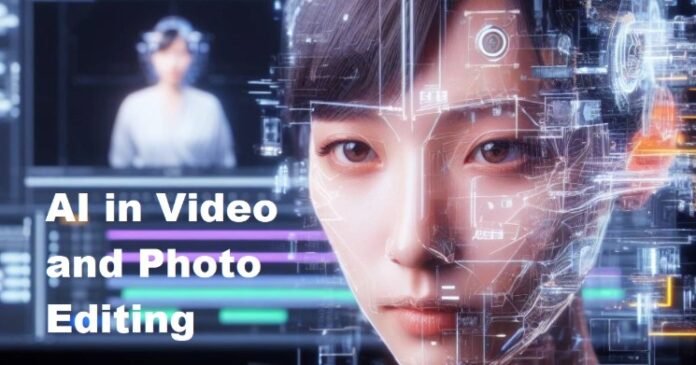


Creating high-quality visual content has become much easier with modern editing technology. Whether you are working on social media posts, product photos, personal pictures, marketing materials, or video projects, you no longer need to perform every editing task manually.
An AI image editor can help improve photographs, remove unwanted objects, adjust backgrounds, correct lighting, and make images look cleaner with only a few steps. In the same way, a video enhancer can improve footage by reducing noise, sharpening details, correcting colors, and making older or lower-quality videos look better.
These tools are useful for beginners as well as experienced creators. Instead of replacing creativity, they can take care of repetitive editing work and give users more time to focus on the final result.
What Is an AI Image Editor?
An AI image editor is software that uses artificial intelligence to analyze and modify photographs or other types of visual content. Traditional editing usually requires users to select objects, create masks, adjust sliders, and make many individual corrections.
AI-powered editing changes that process. The software can examine different parts of an image and identify elements such as people, objects, backgrounds, faces, and colors. It can then apply an appropriate adjustment based on the user’s instructions.
For example, if a photograph contains an unwanted object in the background, an AI editor may allow the user to select it and remove it automatically. The software then attempts to fill the empty area so that it blends with the surrounding scene.
Other common uses include:
- Removing unwanted objects
- Changing or removing backgrounds
- Improving brightness and contrast
- Increasing image clarity
- Reducing visual noise
- Restoring older photographs
- Adjusting colors
- Resizing images
- Improving portraits
The exact features vary from one application to another, but the overall goal is to make editing faster and easier.
How AI Image Editing Works
When an image is uploaded, an AI editing system analyzes its visual information. Depending on the task, it may identify edges, textures, faces, objects, colors, and other details.
Suppose you want to remove a person from the background of a photograph. The software first attempts to distinguish that person from the surrounding environment. Once the area is identified, it generates replacement content based on the pixels and patterns around it.
Some modern editors can also understand simple written instructions. Instead of navigating through several menus, a user may be able to describe the desired result in plain language.
For example, an instruction such as “remove the background and make the subject brighter” can potentially trigger several editing actions at once.
This makes image editing accessible to people who may not have experience with professional design software.
Important Features of an AI Image Editor
Different editing platforms offer different capabilities, but several features are particularly useful for everyday image work.
Background Removal
Removing a background manually can take considerable time, especially when an image contains hair, shadows, or complicated edges.
An AI image editor can identify the main subject and separate it from the background automatically. This is useful for product photography, profile pictures, advertisements, thumbnails, and online stores.
Once the background has been removed, users can replace it with a solid color, another photograph, or a custom design.
Removing Unwanted Objects
A distracting object can affect the overall appearance of a photograph. AI-powered object removal allows users to select an unwanted element and let the software reconstruct the area behind it.
This can be useful when removing small distractions such as signs, wires, objects on a table, or people appearing in the distance.
The result depends on the complexity of the background. A simple wall is usually easier to reconstruct than a detailed scene containing buildings, trees, or crowds.
Improving Image Quality
Images captured in poor lighting or saved at low quality may appear soft, noisy, or lacking in detail.
AI-based enhancement can analyze the photograph and attempt to improve sharpness, contrast, texture, and overall clarity. This can be particularly helpful when preparing images for websites or social media.
However, users should avoid expecting an editor to recreate information that was completely absent from the original photograph.
Color and Lighting Adjustments
Lighting can have a major effect on how a photograph looks. An image may be too dark, overly bright, or have an unwanted color cast.
AI tools can analyze the image and automatically adjust brightness, contrast, saturation, and color balance. Users can then make additional changes if the automatic result does not match their preferences.
This approach can save time when processing a large number of photographs.
What Is a Video Enhancer?
A video enhancer is a tool designed to improve the appearance of video footage. It can be used with recordings from smartphones, cameras, webcams, and other devices.
Video enhancement is more complicated than editing a single photograph because a video contains many frames that must remain visually consistent.
Depending on the application, a video enhancer may provide features such as:
- Resolution improvement
- Noise reduction
- Sharpening
- Color correction
- Face enhancement
- Stabilization
- Low-light improvement
- Frame processing
- Compression artifact reduction
These functions can be useful when working with older recordings, low-quality clips, or footage that needs some visual cleanup before publication.
How a Video Enhancer Improves Footage
AI-based video enhancement examines individual frames while also considering the information contained across the sequence.
For example, if a video contains digital noise caused by low-light recording, the software can analyze repeated patterns across frames to distinguish unwanted noise from actual details.
Similarly, sharpening algorithms can improve the appearance of edges and textures.
Some tools can also upscale footage by estimating additional visual information. Instead of simply stretching the original video, AI models attempt to create a more detailed-looking result.
The outcome depends on the original footage. A high-quality recording generally provides much better material for enhancement than extremely compressed or heavily blurred footage.
AI Video Upscaling
Video upscaling is one of the more useful features available in modern enhancement software.
Traditional resizing simply increases the number of pixels in a video. It does not necessarily add useful detail. AI upscaling takes a different approach by analyzing existing visual information and estimating what additional details might reasonably look like.
This can be useful for older recordings that were created at a lower resolution.
For example, someone may have an old family video that looks small or soft on a modern display. An AI-based video enhancer may improve its apparent clarity and make it more comfortable to watch on a larger screen.
Still, upscaling has limits. If important details were never captured by the original camera, software cannot guarantee that the exact missing information can be recovered.
Reducing Noise in Video
Low-light recordings often contain unwanted grain or digital noise. Camera settings, sensor limitations, and video compression can all contribute to this problem.
A video enhancer can analyze the footage and attempt to reduce these unwanted patterns while retaining important details.
The key is moderation. Removing too much noise can make faces, clothing, walls, and other textures look unusually smooth. A balanced result generally looks more natural than aggressive processing.
Making Blurry Videos Clearer
Blurry footage can result from camera movement, incorrect focus, poor lighting, or limitations in the recording device.
Enhancement software may improve perceived sharpness by emphasizing edges and processing areas where details are still visible.
This can make a slightly soft recording look clearer. However, severely out-of-focus footage may remain difficult to restore.
For that reason, enhancement works best when the original video contains enough information for the software to work with.
AI Image Editor for Social Media Content
Social media creators often need to produce visual content quickly. Images may need different dimensions, backgrounds, colors, or levels of brightness depending on where they will be published.
An AI image editor can simplify many of these tasks. A creator might use it to clean up a photograph, remove a distracting background, improve lighting, or prepare an image for a thumbnail.
This can be especially useful for creators who publish content regularly and do not want to spend excessive time on basic editing.
The same workflow can be applied to promotional graphics, blog images, profile pictures, and other digital content.
Video Enhancer for Social Media Videos
Video has become an important part of online content. Short clips are frequently recorded on smartphones, which means lighting, camera stability, and image quality can vary considerably.
A video enhancer can help improve footage before it is uploaded. Noise reduction can clean up dark recordings, sharpening can improve soft details, and color adjustments can make footage look more balanced.
Creators can then combine the enhanced footage with captions, music, transitions, and other editing elements.
Using AI Tools for Business Images
Businesses frequently require large numbers of photographs for websites, online stores, advertisements, and social media.
Manually preparing every image can be time-consuming. An AI image editor can simplify repetitive work such as background removal, cropping, resizing, and basic enhancement.
For product photographs, maintaining a consistent appearance is particularly important. Images with similar backgrounds, lighting, and dimensions can create a more organized presentation across an online store.
Businesses can also use AI-assisted editing for promotional banners, blog graphics, email campaigns, and other marketing materials.
Improving Old Photographs
Older photographs often have scratches, faded colors, low resolution, or other forms of deterioration.
Modern AI restoration tools can attempt to improve these images by reducing visible damage, increasing clarity, and adjusting contrast.
For families, this can be a useful way to prepare old photographs for digital storage or printing.
It is important to preserve the original file before restoration. Automated systems may occasionally alter small details, so keeping an untouched copy ensures that the original photograph remains available.
How to Get Better Results From an AI Image Editor
The quality of an AI edit depends partly on the quality of the original image. Starting with a good source file can make a significant difference.
Use the Original Image
Whenever possible, upload the original photograph instead of a screenshot or an image that has already been compressed multiple times.
Give Specific Instructions
If the software accepts text instructions, be clear about what you want.
For example, instead of saying:
“Make this picture better.”
you could write:
“Remove the background, improve the brightness, and keep the subject’s natural appearance.”
Specific instructions give the editing system a clearer objective.
Check Important Details
Always review the finished image. Pay particular attention to faces, hands, hair, text, shadows, and object edges because these areas can sometimes be affected by automated editing.
Tips for Using a Video Enhancer
The same principles apply when improving video footage.
Start with the highest-quality original recording you have. Avoid repeatedly exporting and compressing a video before enhancement because each additional compression step can reduce available detail.
It is also better to apply enhancement gradually. Excessive sharpening can create artificial edges, while aggressive noise reduction can remove natural textures.
Before exporting the final video, watch several sections rather than checking only one frame. An effect that looks good in one part of the footage may produce unwanted artifacts elsewhere.
AI Editing vs. Traditional Editing
AI tools and traditional editing software serve slightly different purposes.
Traditional software provides detailed manual control. Professional users can adjust individual elements with considerable precision.
AI editing focuses more on automation. It can handle repetitive tasks quickly and may allow users to accomplish complicated adjustments with fewer manual steps.
These approaches do not necessarily compete with each other. Many creators can use AI for routine work and traditional editing tools for final adjustments.
For example, an AI tool might remove a background, while a traditional editor could then be used to fine-tune shadows, colors, or composition.
Limitations to Keep in Mind
Although AI editing has improved significantly, it is not perfect.
An AI image editor may struggle with complicated backgrounds, transparent objects, reflections, fine hair, or unusual shapes. Similarly, a video enhancer can have difficulty with extremely blurry footage, heavy compression, severe noise, or missing frames.
AI-generated corrections can also occasionally introduce details that were not present in the original media.
For important projects, users should always compare the edited version with the source and make sure that the final result accurately represents what they intended.
Privacy Considerations
Before uploading photographs or videos to an online editing service, it is worth checking how that platform handles uploaded files.
This is especially important when working with private family photographs, confidential business material, personal documents, or other sensitive content.
Understanding a service’s storage, processing, and deletion practices can help users make more informed decisions about which files they upload.
The Future of AI Image and Video Editing
AI-powered editing is continuing to develop. Future tools may provide more accurate object recognition, better restoration, improved video processing, and more natural results.
Editing interfaces may also become more conversational. Instead of adjusting numerous controls manually, users may increasingly describe the result they want and allow the software to handle the technical steps.
At the same time, human judgment will remain important. The ability to recognize whether an edit looks natural, whether colors are accurate, and whether the final image communicates the intended message cannot be replaced entirely by automatic processing.
Final Thoughts
An AI image editor can make many image-editing tasks quicker and more accessible, while a video enhancer can help improve the appearance of recorded footage. From removing unwanted objects and correcting lighting to reducing video noise and improving apparent resolution, these technologies offer practical options for everyday creators.
The best results come from combining automated tools with careful human review. Starting with good source material, using reasonable enhancement settings, and checking the final output can help avoid artificial-looking results.
Whether you create social media posts, manage an online business, work with personal photographs, or produce videos, AI-powered editing can become a useful part of your creative workflow without taking away the human creativity behind the content.